What does TimeStamp Camera do for you?
Built-in camera enhancement system
Fantastic scene recording
Snapshot capture during recording
Real-time updates to recording content
Multiple timestamped formats
Conclusion
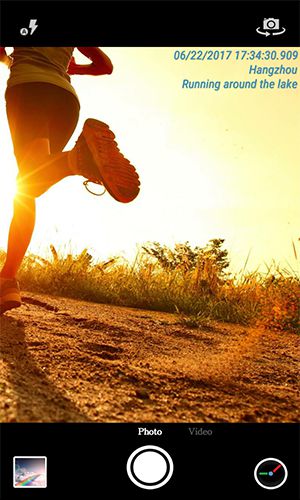
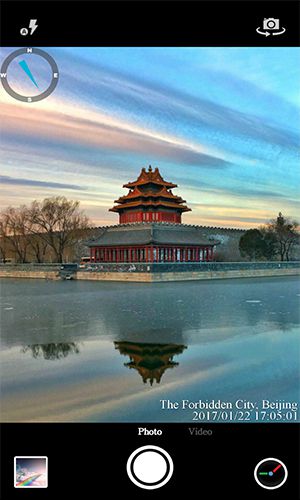
Timestamp Camera is a powerful mobile application designed to elevate smartphone photography and videography. It offers an intuitive interface combined with advanced AI customization, delivering impressive improvements in image quality and detail. The app seamlessly overlays essential information—such as location, date, and time—onto photos and videos in a clean, professional style reminiscent of digital cameras. This ensures every captured moment includes critical contextual details, making it ideal for documentation, travel, vlogging, and more.
What does TimeStamp Camera do for you?
- Add real-time time, location, and custom watermarks during photo capture. Users can customize time formats and easily select nearby locations.
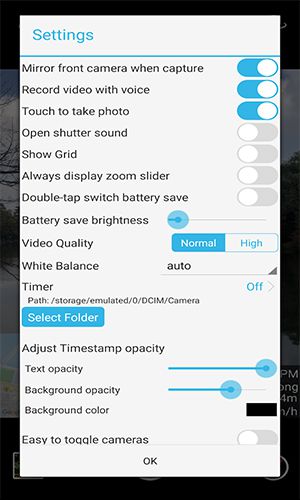
- Adjust font style, color, size, and appearance to suit personal preferences.
- Automatically embed accurate location data and GPS coordinates.
- Insert your logo as a personalized watermark on images.
- Add shadows, colored backgrounds, and transparent stamps for enhanced visual impact.
- Support multiple stamp placements across the frame.
- Apply advanced text formatting including bold, italic, underline, outline, and strikethrough.
- Change the default storage path for snapshots to an external SD card.
- Choose between dark and light themes for optimal viewing in any environment.
- Apply stamps and text overlays to existing photos after capture.
Built-in camera enhancement system
The advanced camera system boosts image quality with intelligent adjustments to color, contrast, and brightness. Powered by AI, it analyzes scenes in real time and optimizes settings automatically, helping users create vivid, professional-grade photos with minimal effort. The flexible customization options allow every user to tailor the camera experience to their unique style and creative goals.
Fantastic scene recording
Video recording is significantly upgraded, enabling users to produce high-quality, cinematic footage. The built-in video presets offer instant adjustments to color grading, exposure, and tone, unlocking powerful visual effects. With extensive editing flexibility, users can experiment freely and generate dynamic, engaging videos that stand out.
Snapshot capture during recording
Timestamp Camera lets you instantly capture key frames from ongoing recordings. The feature extracts high-resolution images directly from the video stream without interrupting the recording process. These snapshots maintain original quality and clarity, free from blur or artifacts, ensuring you never miss a critical moment.
Real-time updates to recording content
During video capture, users can add text overlays, emoticons, and decorative elements on the fly. The ability to insert, modify, or remove content in real time enhances creativity and interactivity. Presets can be adjusted mid-recording, and new media elements can be introduced instantly, making every video more expressive and personalized.
Multiple timestamped formats
Photos and videos can be enriched with detailed timestamps that include date, time, and location. Users have full control over what information to display, with customizable options to enable or disable specific data fields. The app supports all standard location formats, offering flexibility in how content is labeled and shared.
Conclusion
In summary, Timestamp Camera is a highly effective mobile solution for adding realistic, informative metadata to photos and videos. Its automatic timestamp and GPS integration, combined with customizable text, logos, and visual effects, makes it a versatile tool for everyday users, content creators, and professionals alike. With a user-friendly design and powerful feature set, it’s an ideal choice for anyone seeking a simple yet advanced way to enhance media with time, location, and personal branding.
Tags : Photography