Moon+ Reader is a versatile ebook reader that delivers extensive controls and comprehensive functionality for every ebook format. It offers full-featured document management and a thoughtfully designed reading experience, all within a single app.
Embracing the Digital Reading Era
Technology is advancing rapidly, encouraging a shift from paper books to digital ebooks. The major advantage of ebooks is their portability—you can carry an entire library without the bulk of physical books. Among the many e-reading apps on the market, Moon+ Reader emerges as the top choice for Android users.
Read with Ease and Comfort
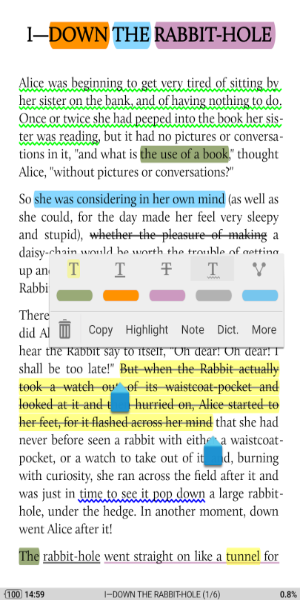
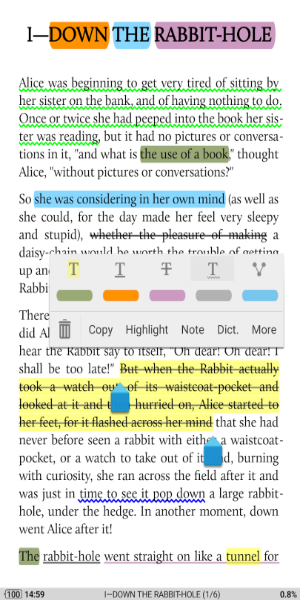
Moon+ Reader is the leading e-reader app, packed with unique features designed to deliver the ultimate reading experience. This reader makes it exceptionally easy and convenient to go through text files. You can also customize PDF documents using its built-in tools. The experience feels just like reading a real book. You can quickly archive, highlight passages, add bookmarks, and much more.
The app supports reading from all major book archives, including PDF, DOCX, ZIP, and others. Reading on a smart device can strain your eyes, but there’s no need to worry—Moon+ Reader lets you adjust screen brightness by simply swiping along the left edge of the display.
Unique Text-Editing Capabilities
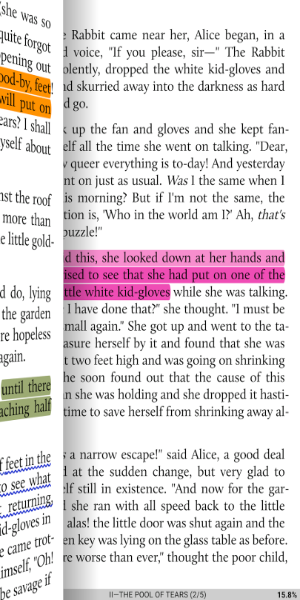
Moon+ Reader provides up to 24 different actions to tailor your reading experience. You can zoom in or out, make notes, overwrite text, or highlight key information. It lets you read and edit text as if you were annotating a physical book. Customize font style and size to your liking, making it a highly flexible text editor.
Additionally, Moon+ Reader works as a dictionary, allowing you to easily translate words—including specialized terminology. It supports more than 40 popular languages, making it incredibly useful for readers across the globe.
Simple and Intuitive
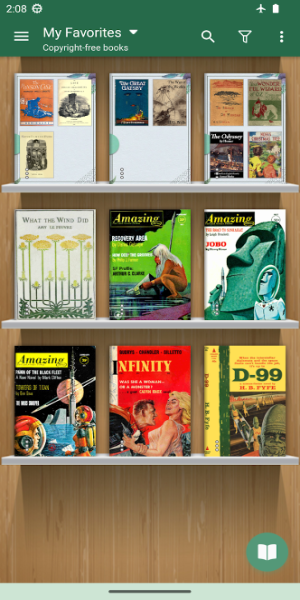
Moon+ Reader is straightforward to use. With a little practice, you'll master all its functions. From the main screen, select the menu to see various options for your needs. Choose "Net Library" to browse an extensive, unlimited online book collection, or pick "My Shelf" or "My File" to read from your own stored documents.
Customize Everything Your Way
Moon+ Reader is designed to put you in control. It offers a wide range of customization settings to match your preferences. Pick your favorite page-turning method from five auto-scroll modes. Save favorite authors and works to your list. Adjust screen lighting with a 95% eye-protection filter to ensure comfortable long reading sessions.
Moon+ Reader combines powerful features, ease of use, and deep customization to deliver an unmatched e-reading experience.
Key Features
- Supports EPUB, PDF, DJVU, AZW3, MOBI, FB2, PRC, CHM, CBZ, CBR, UMD, DOCX, ODT, RTF, TXT, HTML, MHT/MHTML, MD (MarkDown), WEBP, RAR, ZIP, and OPDS.
- Full visual customization: line spacing, font scaling, bold, italic, shadow, justified alignment, alpha colors, fading edge, and more.
- Over 10 built-in themes, including Day & Night mode switching.
- Multiple paging options: touch screen, volume keys, camera button, search, or back keys.
- 24 customizable actions (screen tap, swipe gestures, hardware keys) applied to 15 events: search, bookmark, theme switching, navigation, font size adjustment, etc.
- 5 auto-scroll modes: rolling blind, by pixel, by line, or by page. Includes real-time scrolling speed control.
- Adjust brightness by sliding along the left screen edge. Gesture commands are fully supported.
- Intelligent paragraph recognition; paragraph indentation; trim excess blank spaces.
- "Eye health" options for prolonged comfortable reading.
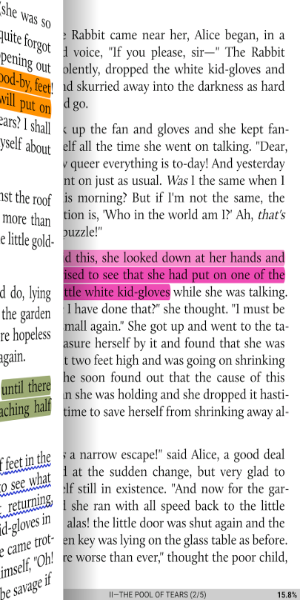
- Realistic page-turning effects with adjustable speed/color/transparency; 5 page flip animations.
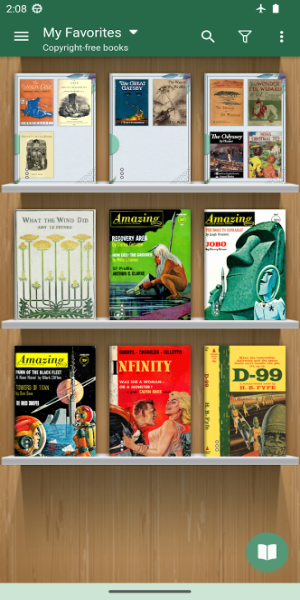
- Customizable My Bookshelf: Favorites, Downloads, Authors, Tags; supports custom book covers, search, and import.
- Justified text alignment with hyphenation support.
- Dual-page mode for landscape orientation.
- Supports all four screen orientations.
- EPUB3 multimedia content support (video and audio).
- Backup/Restore to cloud via DropBox/WebDAV; sync reading positions across phones and tablets.
- Highlighting, annotations, dictionary, translation, and sharing functions all integrated.
- Reading Ruler for focused reading (6 different styles).
Tags : News & Magazines