In Modern Community, a stylized match-3 puzzle adventure, you step into the shoes of Paige, the new community manager for Golden Heights—a neighborhood struggling to get things done. Your mission is to bring the town back to its former splendor by upgrading and renovating aging structures and landmarks. Customize your city using cutting-edge technology, eco-friendly solutions, and intelligent urban planning. To accomplish all this, you'll need to complete game levels and earn Stars. This guide shares veteran tips and tricks to help beginners clear levels more efficiently and start their journey on the right foot. Let’s get started!
Tip #1. Understand the Fundamental Match-3 Mechanics to Progress
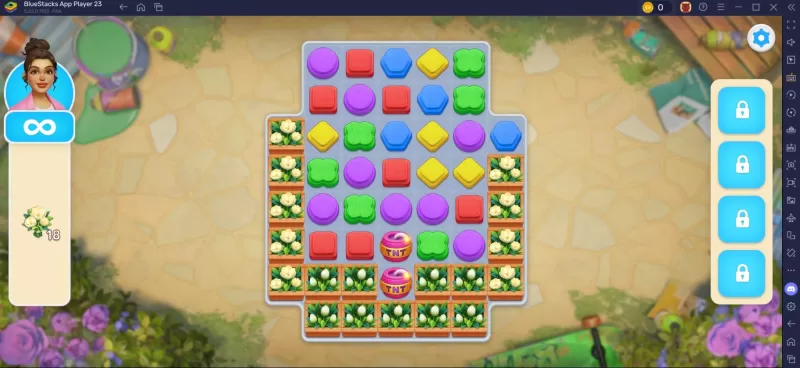
At its heart, Modern Community is a match-3 puzzle game that blends classic gameplay with unique twists. Each stage gives you a limited number of moves, and your goal is to match three or more tiles of the same color to clear the required objectives. Generally, it's best to start from the top of the board and work your way down. Remember, tiles can be matched vertically and horizontally—but not diagonally. Always think several moves ahead to maximize your impact.
Tip #5. Join a Community Club!
Like other popular mobile games, Modern Community offers its own take on guilds or clubs—called “Community Clubs.” Unlocked once you reach level 46, these clubs give you a variety of interest-based topics to choose from, such as pets, music, makeup, beauty, fashion, and more. Join a club to meet like-minded players, engage in fun conversations, and explore shared hobbies. You can even create your own club around your favorite topic. Once you're a member, you’ll be able to chat with others, send and request lives, and participate in special Club Events.
For the best experience, play Modern Community on your PC or Laptop using BlueStacks, enjoying the game on a bigger screen with your keyboard and mouse.