You can now enjoy Fortnite Mobile on your Mac! Begin with our comprehensive guide on how to play Fortnite Mobile on Mac using BlueStacks Air.
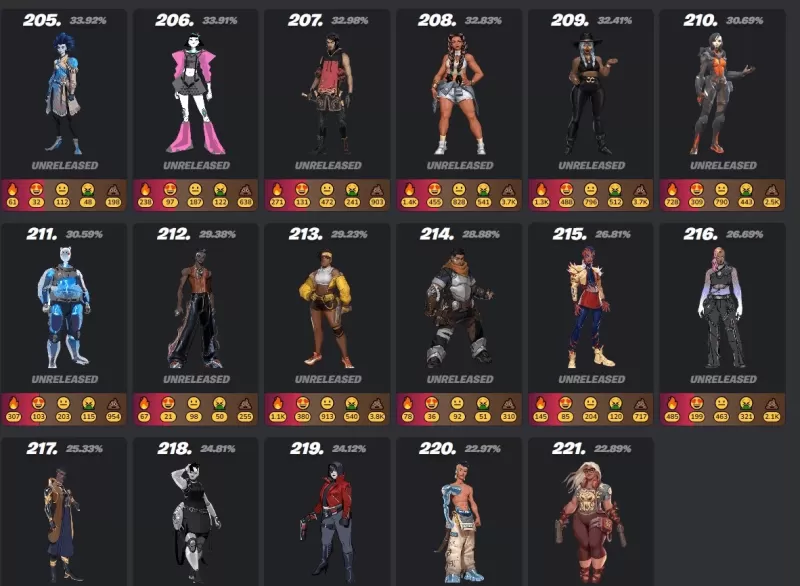
Fortnite is renowned for its constantly expanding assortment of skins, letting players customize their characters with distinctive outfits. Ranging from original creations to crossover partnerships with Marvel, DC, Star Wars, Anime, and Gaming Legends, the game provides options for every taste. While skins offer no in-game competitive edge, they play a significant role in personal expression, enabling players to showcase their individuality on the battlefield.
This comprehensive guide details everything about Fortnite skins, from their various categories and rarity levels to the methods for acquiring them. Whether you aim to purchase skins from the Item Shop, unlock special Battle Pass rewards, or obtain free event skins, this guide provides all the essential information.
Types of Skins in Fortnite
A. Default Skins (OG & Updated)
Default skins are the complimentary outfits automatically provided to every new Fortnite player. Epic Games refreshes these designs with every new Chapter, introducing updated character models and variations. Though they lack intricate designs or extra cosmetics, they carry a sense of nostalgia for many veteran players.
B. Battle Pass Skins
Battle Pass skins are seasonal exclusives available only through the current Battle Pass and become unavailable after the season concludes. These skins frequently offer progressive unlockables, granting players new style variants as they advance in levels. Many include bonus rewards like alternate styles, back bling, or built-in emotes.
To acquire Battle Pass skins, players need to buy the Battle Pass for 950 V-Bucks and then accumulate XP to progress through the tiers. Some of the most legendary Battle Pass skins are Drift (Season 5), Midas (Chapter 2, Season 2), and Spider-Gwen (Chapter 3, Season 4).
2. Unlocking Through the Battle Pass
Every new Fortnite season brings a fresh Battle Pass, giving players the chance to earn unique skins by completing challenges and increasing their level. These Battle Pass skins are tied exclusively to their season and cannot be acquired once it ends.
3. Fortnite Crew Subscription
Fortnite Crew is a monthly subscription service priced at $11.99, which includes:
An exclusive Crew Pack skin1,000 V-BucksAccess to the current Battle Pass
Skins from the Fortnite Crew are never sold in the Item Shop, making them particularly rare.
4. Earning Skins Through Events & Tournaments
Fortnite regularly hosts limited-time events and tournaments where players can obtain free skins by finishing challenges or achieving high rankings. Notable examples are:
FNCS Cups (exclusive tournament skins)Winterfest & Halloween Events (free event skins)Refer-a-Friend & PlayStation Plus Rewards (special promotion skins)
5. Redeeming Promotional Skins
Certain skins are accessible via special promotions, such as buying specific gaming hardware or subscribing to services like PlayStation Plus. Examples include:
Galaxy Skin (Samsung phone promotion)Neo Versa (PlayStation Plus exclusive)Wildcat (Nintendo Switch Fortnite bundle)
Skins are a fundamental aspect of Fortnite, empowering players to personalize their avatars with unique looks. Whether you buy them from the Item Shop, unlock them via the Battle Pass, or earn them through exclusive events, the possibilities for growing your collection are virtually limitless. Enjoy your Fortnite Mobile experience on a PC or laptop with BlueStacks!