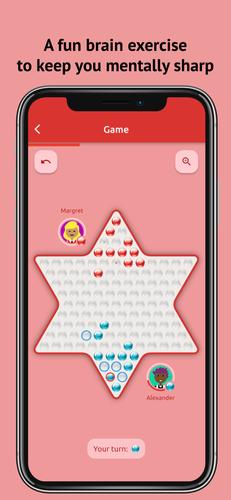
Enjoy Sternhalma, also known as Chinese Checkers, online with friends or offline against AI opponents.
Key Features:
An engaging experience designed for fans of strategic board games like checkers or draughts.
An enjoyable mental workout to keep your mind sharp.
Supports 2 to 6 players.
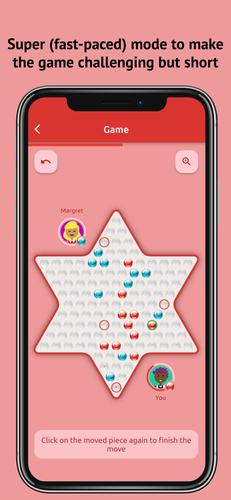
Includes both the standard mode and Super Chinese Checkers, a fast-paced variant that takes far less time to complete.
Play both online and offline.
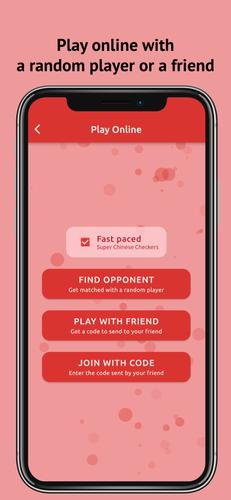
Join an online match with a random opponent or create a private game to play with a friend.
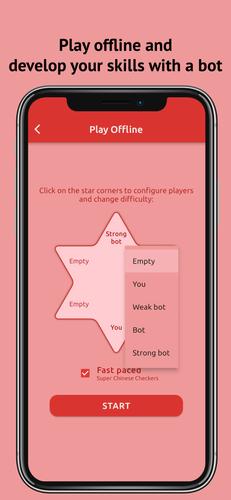
Hone your skills offline by challenging a bot (choose from weak, medium, or strong difficulty).
Play locally with another person on the same device.
A quick, interactive tutorial teaches you the rules in just minutes.
Completely free of advertisements.
Select your favorite background music.
Customize your experience with different interface and game board themes.
Enable a visual guide that shows all possible moves for a piece, making it easier to strategize.
Create a personal profile by entering your name and selecting an avatar.
An intuitive and user-friendly interface.
--------
About the Game
Chinese Checkers, known internationally as Sternhalma, is a popular board game of German origin. Played by 2 to 6 people on a star-shaped board, the goal is to move all your pieces from your home corner to the opposite corner.
To learn more about the rules, tap "Read rules" on the main screen.
--------
Game Modes
This app lets you play both online and offline.
Play online by matching with a random player or by creating a private game with a code to play with friends.
Offline, you can play against the computer or challenge another player locally on the same device. Configure the game for any number of players, such as you versus a bot or you against multiple bots.
--------
AI Bots
Choose from three distinct AI difficulty levels: Weak, Medium, and Strong bot.
As the name implies, the Weak bot plays like a beginner, often making suboptimal moves—perfect for those just learning.
The Medium bot offers a smarter challenge, though experienced players should still be able to win.
Defeating the Strong bot requires significant strategy and effort.
--------
Your Profile
Tap the person icon in the bottom-right corner of the main screen to set up your profile, which is visible to others in online games. Customize it with your name and a chosen avatar.
--------
Settings
Tap the gear icon on the main page to open Settings, where you can tailor the game to your liking. Here you can:
Adjust the volume for interface sounds like button clicks, move sounds, and game end effects.
Control the background music volume.
Select a background music track.
Choose an interface theme and game board design.
Toggle Super Chinese Checkers mode on or off.
Enable or disable the "cheat" mode that shows all possible move destinations.
And access many other customization options.
--------
How to Play
Tap the "Read rules" button on the main screen to launch an interactive tutorial.
Have fun!
What's New in the Latest Version 2.1.1
Tags : Board Abstract Strategy