
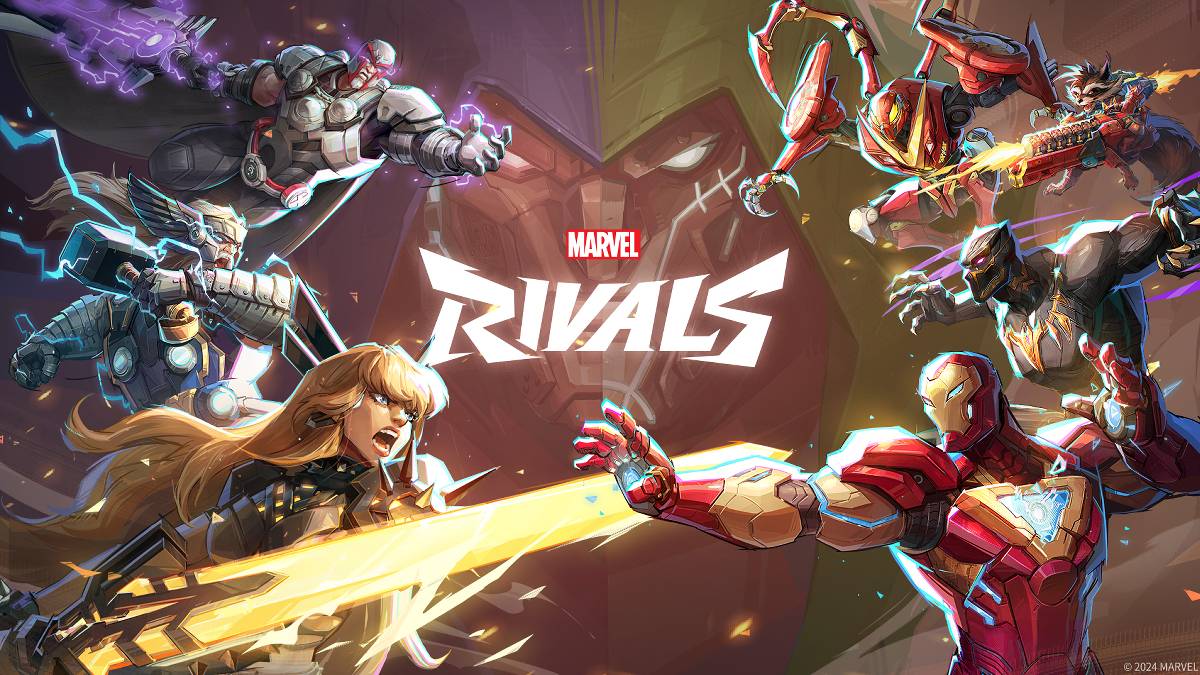
故障排除常见 漫威竞争对手 错误代码:综合指南
不幸的是,遇到错误和错误代码是现代游戏中的共同体验, Marvel竞争对手 也不例外。本指南为各种错误代码提供了解决方案,以阻止您享受游戏。
| Error Code | Description | Solutions |
|---|---|---|
| Error 4 | Frequently appears on PlayStation, but can also occur on PC. | Check internet connection; Verify server status; Relaunch *Marvel Rivals*. |
| 99% Loading Bug | Players become stuck at 99% during match loading. | Check internet connection; Close background applications; Adjust Network Diagnostic Settings. |
| Error 211 | Commonly seen when launching via Steam, indicating connection problems. | Check server status; Disable third-party server blockers; Check internet connection; Verify game files. |
| Error 10 | Occurs upon launching, usually due to poor internet connection. | Check internet connection; Relaunch *Marvel Rivals*; Check server status. |
| Error 220 | Potentially caused by server location or firewall settings. | Adjust security firewall settings; Modify DNS settings; Disable third-party server blockers; Use a VPN. |
| Error 21 | Sometimes encountered by Xbox players during launch. | Restart console; Reset router; Check server status; Disable IPv6 on internet connection; Use a VPN. |
| Error 5 | Afflicts PlayStation players, indicating high ping and packet loss. | High ping and packet loss due to latency spikes. Address underlying network issues. |
| Error 26 | Prevents gameplay. | Check internet connection; Disable VPN; Clear cache files; Verify game files. |
| Packet Loss Error | High ping and packet loss from latency spikes. | Check internet connection; Close background applications; Adjust Network Diagnostic Settings. |
| DX12 Not Supported | Game launch failure due to unsupported DX12, often linked to Windows updates or GPU incompatibility. | Update to the latest Windows version; Update GPU drivers; Reinstall *Marvel Rivals*. |
| Error Code 258 | Login failure via PC launcher, particularly affecting Epic Games Store users. | Troubleshooting specific to Epic Games Store. |
| Error LS-0014 | Affects Epic Games Store users. | Check antivirus software; Verify game files; Reinstall the game. |
| Igniting the Timestream | Occurs during matchmaking. | Check server status; Restart the game; Check internet connection. |
| Version Mismatch | Appears after game updates. | Verify game files; Check for updates; Check internet connection. |
| Out of Video Memory | Prevents gameplay. | Check VRAM; Update GPU drivers; Close background applications. |
最新文章
-
12美元45W充电宝快速为任天堂Switch 2充电 Sep 24,2026
-
Infinix发布全新预算游戏手机GT 30 Pro Sep 24,2026
-
IGN商店开放原版系列Tricorder预购 Sep 22,2026
-
《影之刃零》TGA 2025 公布发售日期 Sep 22,2026
-
沃尔玛75英寸三星4K智能电视售价399美元,免运费 Sep 19,2026
-
铁路救援登陆iOS,即将登陆安卓平台 Sep 16,2026
-
速卖通超值3D打印机优惠:Anycubic、Flashforge、Creality低至175美元 Sep 15,2026
-
《银河防御堡垒TD》策略胜利技巧与秘籍 Sep 14,2026
热门游戏
+



专题
+
-
移动端最具吸引力射击游戏 Sep 10,2025
-
最佳在线棋盘游戏 Jan 01,2025
-
各种技能水平都有挑战性的单词游戏 Mar 04,2025
-
适用于Android用户的创新墙纸应用 Jun 29,2025
-
Android的互动音乐模拟游戏 Jun 12,2025
热门新闻
+
-
09-12支持合作伙伴支持西班牙填字游戏线索 - 努力指南 我们为《太阳报》2026年6月11日《太阳报双速填字游戏》中出现的“Supports partners supporting Spain”(支持支持西班牙的伴侣)这一填字线索提供了八个字母的答案。此答案将帮助您完成当前的谜题。Supports partners supporting Spain 填字答案↓13. ???????? 点击/轻触 ? 方块以揭示一个字母。在下面查找更多线索、提示和信息。隐藏 启用提示 点击/轻触 ? 方块以揭示一个字母。在下面查找更多线索、提示和信息。有用提示提示 1
-
08-03《火炬之光:无限》恐怖季节第12期“超越之境”今日上线 《火炬之光:无限》引入全新机制, featuring 带有 roguelike 元素的领域- 虚空界邀请玩家深入另一个维度,挑战限时远征- 升级后的进度系统和创新的连招组合提供更大的自定义选项本周进入《火炬之光:无限》世界的冒险者将面临令人望而生畏的新挑战。这是由于第12赛季“超越之境”的到来! featuring 新颖的机制、多样的构建可能性以及焕然一新的进度结构,有许多吸引人的理由让你投入这个最新赛季。这具体意味着什么?首先,我们引入了一系列随机出现在地图上的裂隙。这些传送门通往虚空界,在那
-
08-20NOOK crossword clue: Novel on a Nook crosswords answer 我们提供《洛杉矶时报》迷你填字游戏 2026 年 5 月 19 日谜题中“NOOK 上的小说”的 5 个字母的答案。让我们协助您解开这个棘手的线索,以便完成您的网格。→1. ????? 点击/轻触 ? 图块以显示一个字母。在下面发现更多的线索、提示和信息。隐藏启用提示点击/轻触 ? 图块以显示一个字母。在下面发现更多的线索、提示和信息。有用的提示提示1:线索定义- NOVEL (形容词) 1.原创且前所未见的 2.令人愉悦的新颖或不同NOVEL (名词) 1.长篇散文小说;通常以故事形式呈现 2
-
06-03《朋友聚会》试玩版现已上线,新功能详解 《朋友生活:梦想成真》现已在 Nintendo Switch 平台推出免费试玩版,让玩家能够以新的细节开启他们的岛屿之旅,这些细节展示了其深度的自定义和社交机制——以下是详细介绍。《朋友生活:梦想成真》试玩版现已登陆 Switch发售前详细功能介绍《朋友生活:梦想成真》在 Nintendo Switch 平台推出了免费试玩版,新发布的预告片突出了其在发售前的扩展自定义功能和社交系统。玩家可以提前开始建设他们的岛屿,并将进度延续至2026年4月16日的正式版发布。试玩版允许玩家创建最多三个 Mii
-
08-27《Phobies》万圣节重磅更新即将上线 最大的更新将于 10 月 1 日到来九只全新的恐惧兽加入阵容主要亮点是“诸圣节前夜化妆舞会”活动恐惧兽将在本月带来自上线以来最重大的更新,而你的名字并不在宾客名单上。好吧,从技术上讲你确实在名单上,但前提是你有勇气进入“诸圣节前夜化妆舞会”。10 月 1 日上线,这次大规模改版带来了令人毛骨悚然的新恐惧兽阵容、全新地图、盛大的万圣节庆祝活动以及将根本改变你游玩方式的游戏系统重构。九只全新的恐惧兽同时登场,标志着游戏历史上规模最大的内容投放。这一波角色包括“管家”组合,这是一个令人毛骨悚然的亡灵仆